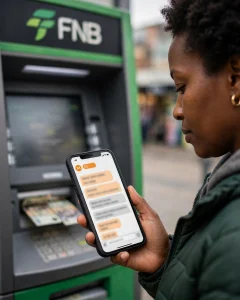
 How eWallet Loans Work
Many South Africans don’t have traditional bank account or need cash instantly. Some lenders now pay to eWallet (FNB), CashSend (Capitec, Standard Bank), or Mukuru.
How it works: Apply online, get approved, choose payout method. Money goes to your phone number linked to eWallet.
Lenders That Offer eWallet / CashSend Payout:
1. Boodle – Can pay to bank, many banks support eWallet withdrawal
2. Wonga – Bank payout, but you can withdraw to eWallet after
3. Finchoice – Bank payout
4. Niche lenders like eWallet Loan SA (check NCR)
Steps to Receive via eWallet:
1. Apply with ID and phone number linked to eWallet
2. If approved, select “FNB eWallet” or “CashSend” if available
3. Receive SMS with PIN
4. Withdraw at FNB ATM or retail (Boxer, Shoprite) without card
Fees:
– Lender fee as normal loan fee
– Plus eWallet withdrawal fee: R10-R20 per R1000 at ATM
– CashSend fee similar
Example:
Borrow R1500 -> Lender sends R1500 to eWallet -> You withdraw R1500 at ATM -> Fee R18 -> You get R1482 cash
Requirements:
– Phone number registered for eWallet / CashSend
– SA ID
– Proof of income (sometimes)
Safety Tips:
– Never share eWallet PIN
– Use official ATMs only
– Beware of fake SMS “You received eWallet, click link” – phishing
FAQ:
Q: Can I get eWallet loan if blacklisted?
A: Some lenders consider it, but approval lower. Try small amount R500-R1000.
Q: How long to receive?
A: After approval, eWallet SMS usually within 1 hour during business hours.
Q: Can Mukuru receive loans?
A: Some lenders pay to Mukuru wallet. You can then send or collect at Mukuru booth.
Disclaimer: Fees change. Check lender site and FNB/Capitec eWallet fees before borrowing. This guide is information only.